Projects icon

Puter Projects: a free, open-source Trello alternative

Lightweight project management: Kanban boards, timelines, milestones, assignees and comments.

  • Productivity
  • Free · MIT
  • Runs in the browser
Projects screenshot
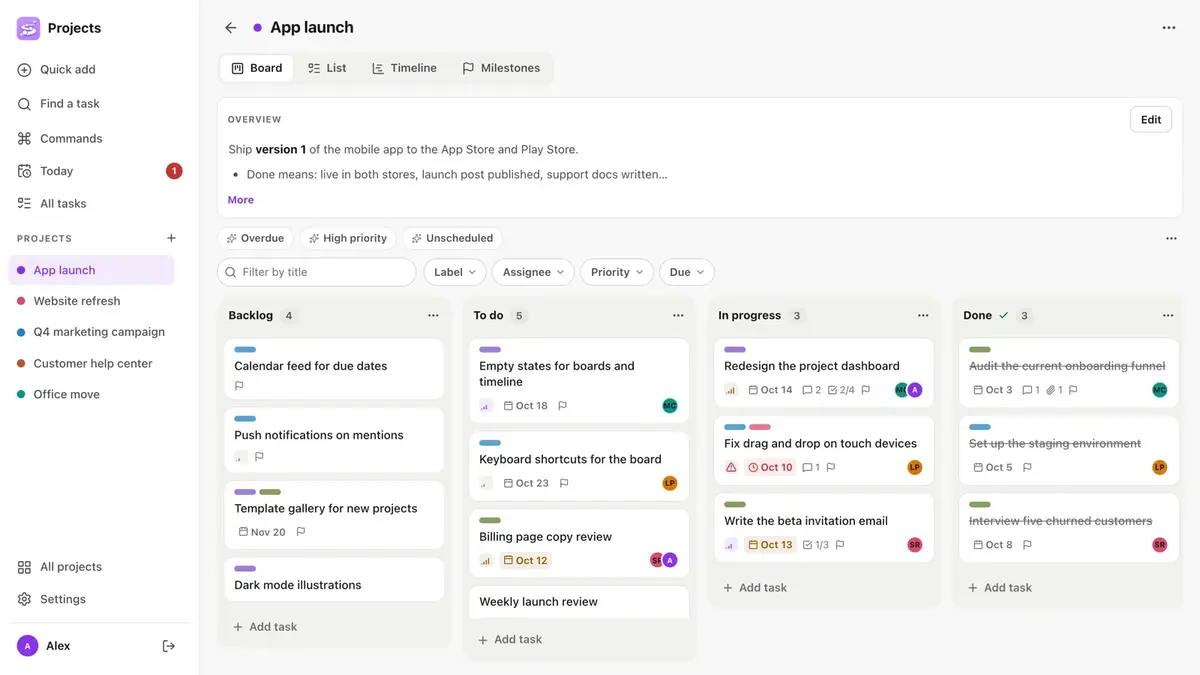
Projects interface. Screenshot from the official HeyPuter/everything repository.

What is Projects?

Projects is project management in the spirit of Trello or Asana, not enterprise Jira. Drag cards across a Kanban board, plan on a Gantt-style timeline, track milestones, and see every task in a sortable list. Quick add understands “Ship the beta !high #design @maya friday”, and a Today view gathers due work across projects.

Key features

  • Kanban boards with drag and drop, labels and priorities
  • Timeline (Gantt-lite) and milestones with progress
  • List view with sorting, grouping and bulk edits
  • Quick add with dates, priority, labels and assignees in one line
  • Comments, checklists, attachments, recurring tasks and .ics export

How to use it

  1. Open projects.puter.com in any modern browser — computer, tablet or phone.
  2. Sign in with a free Puter account; your data is saved in your own Puter cloud storage.
  3. Want to self-host or hack on it? Run it locally (Node.js 22.12 or newer):
git clone https://github.com/HeyPuter/everything.git
cd everything/src/projects
npm install
npm run dev

More productivity apps

See all 51 Everything apps →

Replaces Todoist · Microsoft To Do · TickTick

Personal and shared to-do lists with recurring reminders, priorities, subtasks and a calendar.

Wiki

Source only

Replaces Notion · Confluence · Coda

Docs, notes and databases for you and your team — a block editor with nested pages.

Replaces Toggl Track · Harvest · Clockify

Timesheets and billable hours by client, project or task — with invoicing built in.

Surveys

alpha

Replaces SurveyMonkey · Google Forms · Typeform

Build a survey, share it with a link and analyse the results as they come in.

FAQ

Is Projects free?

Yes. Projects is part of the Everything Project and its source code is published on GitHub under the MIT license. There is no subscription or trial.

Do I need to install Projects?

No. Open projects.puter.com in the browser on your computer, tablet or phone.

Do I need an account to use Projects?

A free Puter account. Your data is stored in your own Puter cloud storage.

Can Projects replace Trello?

For most everyday work, yes: kanban boards with drag and drop, labels and priorities; timeline (Gantt-lite) and milestones with progress; list view with sorting, grouping and bulk edits. If you depend on a specialised Trello feature, test it with your own files first.

Summarised from Projects’s README in the official repository. CraftSuite is an independent, unofficial guide and is not affiliated with Puter; Trello, Asana and monday.com are trademarks of their respective owners.

Your download has started

Install

Star on GitHub Join the Discord

While it downloads — two more tools from our team Sponsored

AiLoft · All-in-one AI image & video studioFree credits on sign-up · one-time packs that never expire, save up to 20% PixelSniff · Is this image AI-generated? Find out in seconds5 free checks a day, no sign-up · free credits for deep reports

Download didn’t start? Try again