

Replaces CapCut · Adobe Premiere Pro · Final Cut Pro · DaVinci Resolve
A multi-track video editor in the browser: timeline, text, effects, transitions and auto captions.

A Photoshop-style image editor in the browser: layers, masks, adjustments, filters and PSD.
From the official README: this app is in early alpha. Features may change and data could be lost — don’t rely on it for real work yet, and keep copies of anything important.
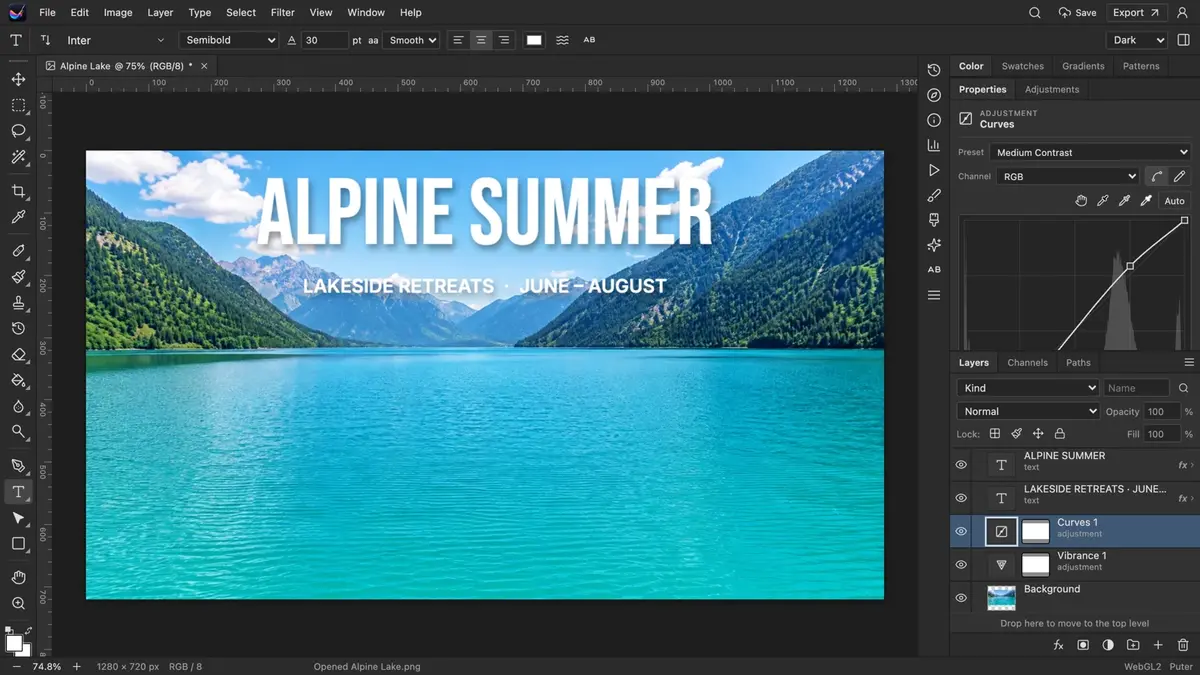
Photo Studio is an open-source alternative to Adobe Photoshop that runs in a browser tab. It covers layers, masks, adjustment layers, selections, painting and retouching tools, filters, type, shapes and paths, colour management and PSD interchange, with familiar shortcuts and workspaces. Guided tutorials help newcomers get started.
git clone https://github.com/HeyPuter/everything.git
cd everything/src/photo-studio
npm install
npm run devReplaces CapCut · Adobe Premiere Pro · Final Cut Pro · DaVinci Resolve
A multi-track video editor in the browser: timeline, text, effects, transitions and auto captions.
Replaces Adobe Illustrator · CorelDRAW · Affinity Designer
A professional vector illustration editor — pen, shapes, gradients, brushes and live effects.
Replaces Adobe Audition · Sound Forge
A waveform and multitrack audio editor: record, edit, restore, mix and master.
Replaces FL Studio · Ableton Live · Logic Pro
A pattern-based music workstation: step sequencer, piano roll, playlist and mixer.
Replaces Autodesk Maya · SketchUp · Blender
A Blender-style 3D suite in the browser: modelling, sculpting, nodes, animation and rendering.
Summarised from Photo Studio’s README in the official repository. CraftSuite is an independent, unofficial guide and is not affiliated with Puter; Adobe Photoshop and Pixelmator are trademarks of their respective owners.


