3D Studio icon

Puter 3D Studio: a free, open-source Autodesk Maya alternative

A Blender-style 3D suite in the browser: modelling, sculpting, nodes, animation and rendering.

  • Creative tools
  • Free · AGPL-3.0
  • Runs in the browser
  • No sign-up needed
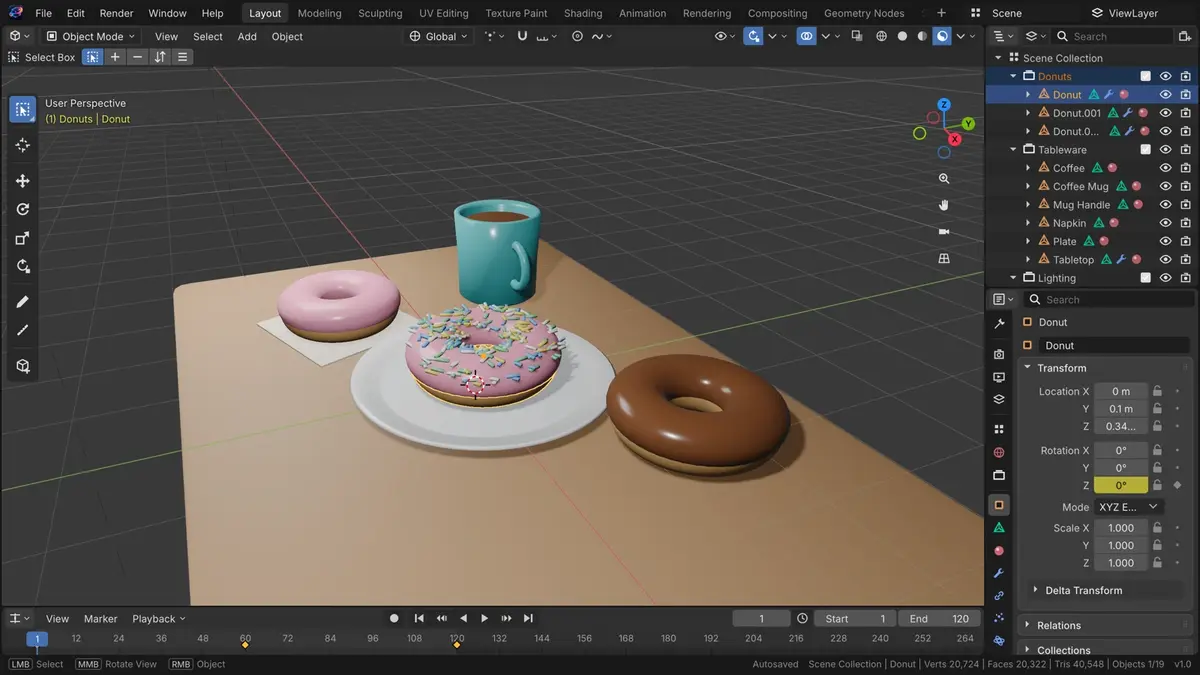
3D Studio screenshot
3D Studio interface. Screenshot from the official HeyPuter/everything repository.

What is 3D Studio?

3D Studio is a 3D creation suite written from scratch on three.js (WebGL2), with nothing to install. It covers modelling, sculpting, UV editing, shader and geometry nodes, animation and rigging, physics, path-traced and real-time rendering, video editing, motion tracking and scripting. It is an independent clean-room project, not affiliated with Blender.

Key features

  • Polygon modelling and sculpting
  • UV editing, shader, geometry and compositor nodes
  • Animation, rigging and physics
  • Path-traced and real-time rendering
  • Familiar workspaces: Layout, Modeling, Sculpting and more

How to use it

  1. Open 3d.puter.com in any modern browser — computer, tablet or phone.
  2. Start right away — no sign-up. Sign in with a free Puter account only if you want to save to the cloud.
  3. Want to self-host or hack on it? Run it locally (Node.js 22.12 or newer):
git clone https://github.com/HeyPuter/everything.git
cd everything/src/3d
npm install
npm run dev

More creative tools apps

See all 51 Everything apps →

Photo Studio

alpha

Replaces Adobe Photoshop · Pixelmator

A Photoshop-style image editor in the browser: layers, masks, adjustments, filters and PSD.

Replaces CapCut · Adobe Premiere Pro · Final Cut Pro · DaVinci Resolve

A multi-track video editor in the browser: timeline, text, effects, transitions and auto captions.

Replaces Adobe Illustrator · CorelDRAW · Affinity Designer

A professional vector illustration editor — pen, shapes, gradients, brushes and live effects.

Music Studio

No sign-up alpha

Replaces FL Studio · Ableton Live · Logic Pro

A pattern-based music workstation: step sequencer, piano roll, playlist and mixer.

FAQ

Is 3D Studio free?

Yes. 3D Studio is part of the Everything Project and its source code is published on GitHub under the AGPL-3.0 license. There is no subscription or trial.

Do I need to install 3D Studio?

No. Open 3d.puter.com in the browser on your computer, tablet or phone.

Do I need an account to use 3D Studio?

Not required. It works straight away and keeps data in your browser or on your device; sign in with a free Puter account to save to the cloud.

Can 3D Studio replace Autodesk Maya?

For most everyday work, yes: polygon modelling and sculpting; uV editing, shader, geometry and compositor nodes; animation, rigging and physics. If you depend on a specialised Autodesk Maya feature, test it with your own files first.

Summarised from 3D Studio’s README in the official repository. CraftSuite is an independent, unofficial guide and is not affiliated with Puter; Autodesk Maya, SketchUp and Blender are trademarks of their respective owners.

Your download has started

Install

Star on GitHub Join the Discord

While it downloads — two more tools from our team Sponsored

AiLoft · All-in-one AI image & video studioFree credits on sign-up · one-time packs that never expire, save up to 20% PixelSniff · Is this image AI-generated? Find out in seconds5 free checks a day, no sign-up · free credits for deep reports

Download didn’t start? Try again